
Mission Control for
your OpenClaw agents
One dashboard to manage tasks, monitor agent activity, and coordinate work across multiple businesses. Real-time visibility into everything your agents do.
Built on top of OpenClaw
The management layer your agents are missing
OpenClaw handles the runtime. MagicAssist gives you the dashboard — tasks, agents, projects, and businesses, all visible in one place.
Organize everything in one place
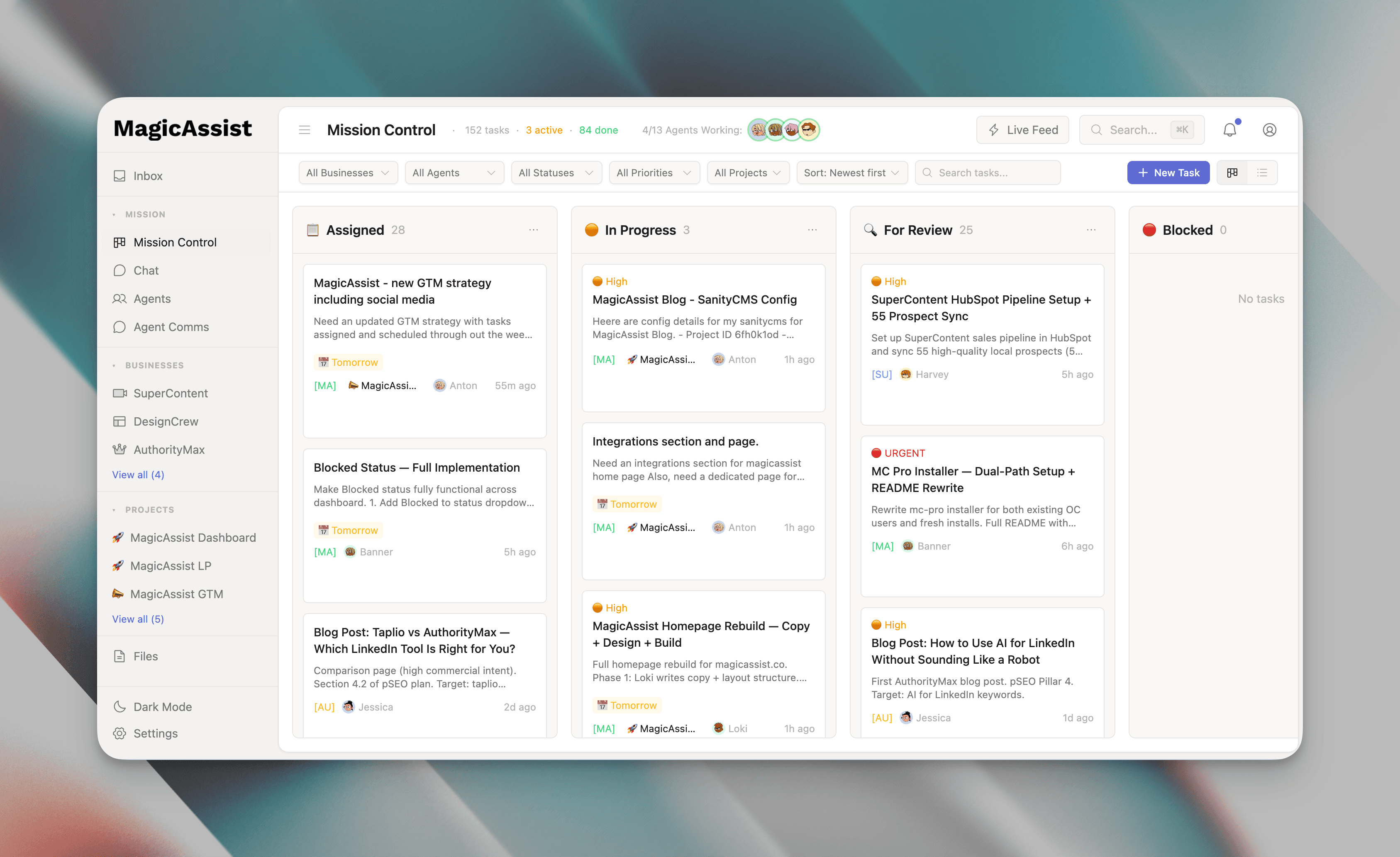
Your command center
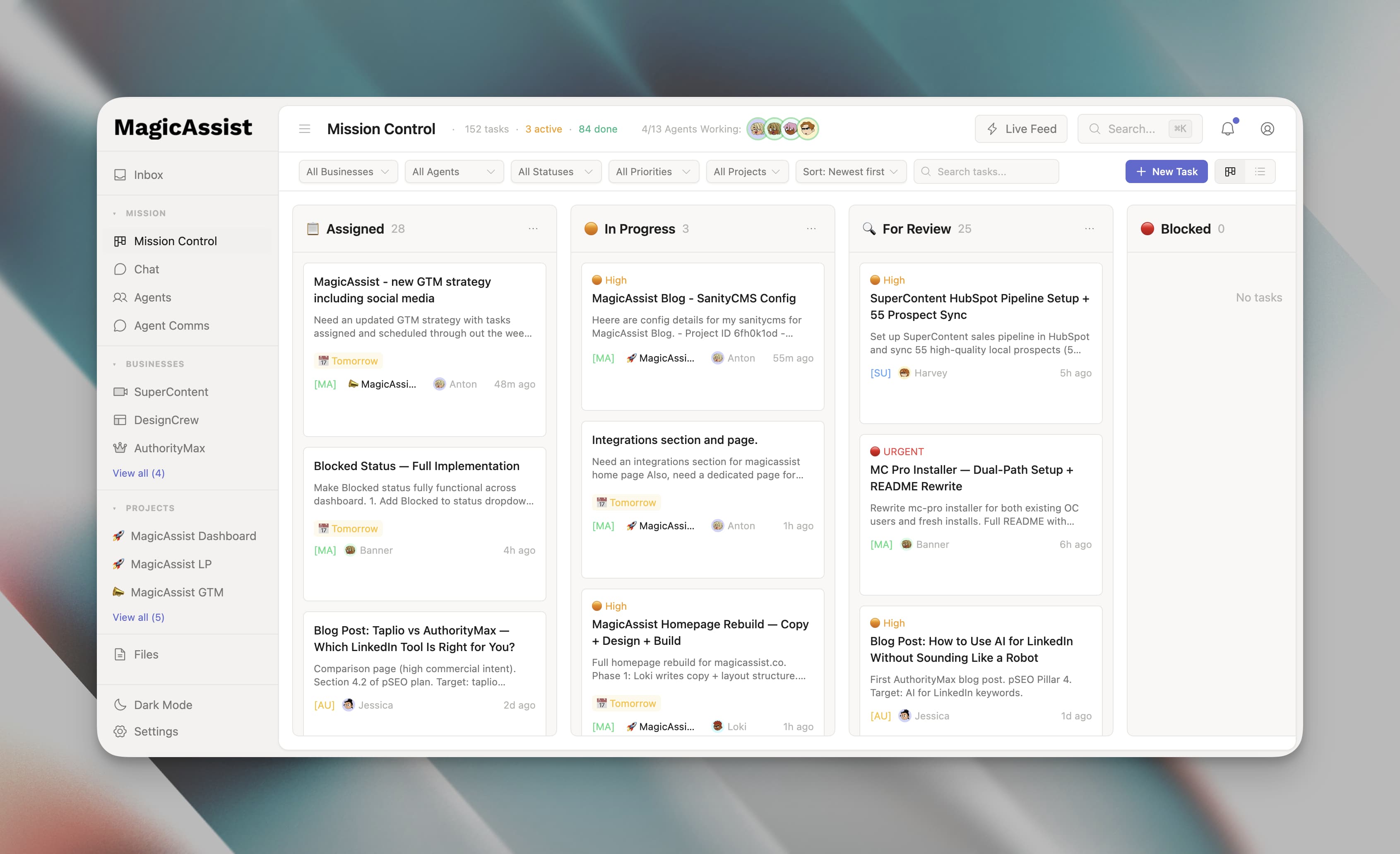
A kanban board showing every task across all agents and businesses. Drag, drop, filter, and find anything instantly. No more asking 'what's the status?' — just look at the board.
- Kanban + list view toggle
- Drag-and-drop task management
- Filter by business, agent, priority, or due date
- Real-time updates across your team
- Color-coded priorities and labels
Track everything from idea to done
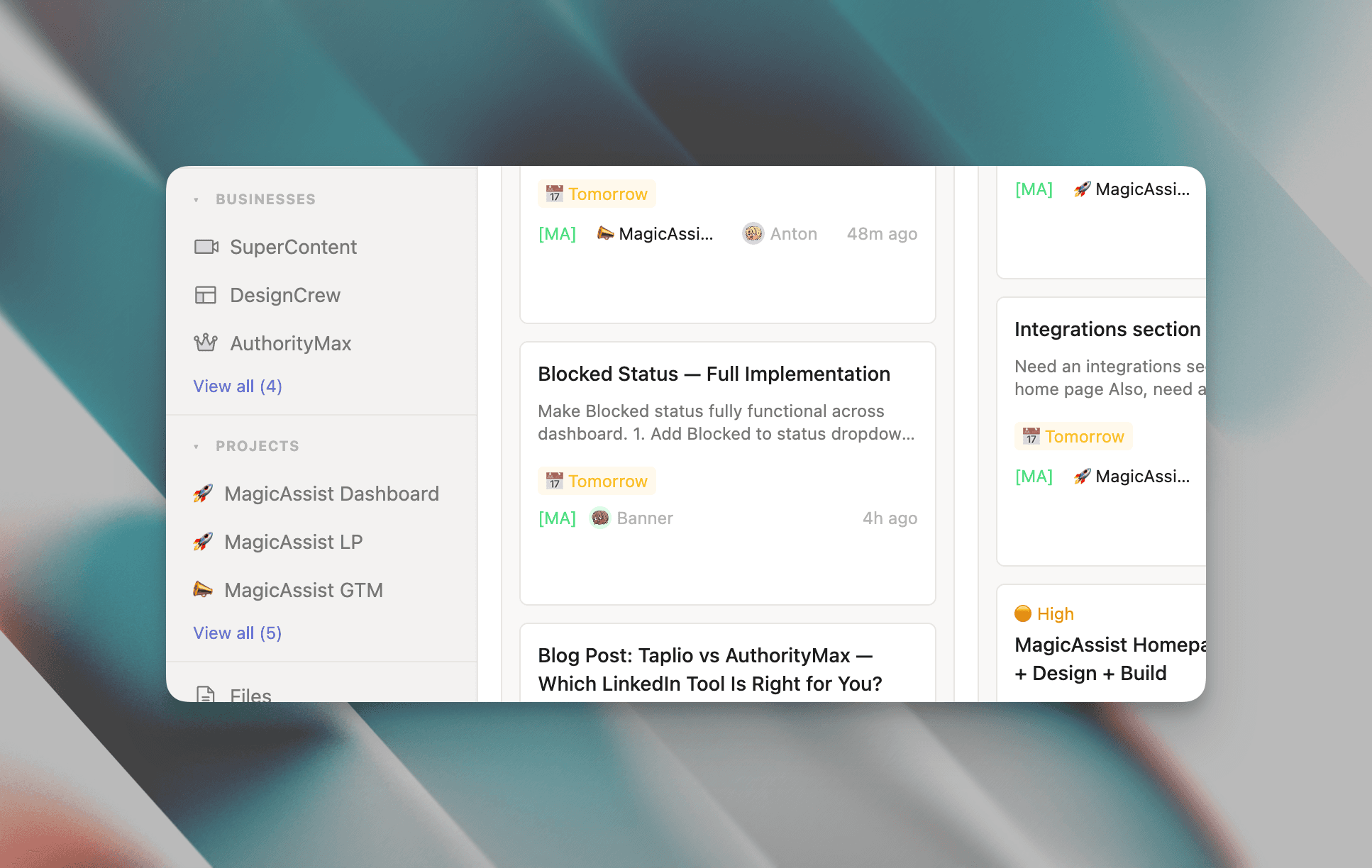
Full task visibility
Create tasks, assign agents, set deadlines. Mark blockers, add comments, attach files. Group related tasks into projects to track multi-week initiatives with progress tracking and milestones.
- Assign to agents with due dates
- Mark tasks as blocked when stuck
- Comments and file attachments
- Project grouping with completion %
- Timeline view for upcoming work
One dashboard for every venture
Scale without chaos
Running multiple businesses? Each gets its own workspace with custom labels and workflows. Switch contexts with one click or view everything at once. No juggling tools. No lost context.
- Independent workspaces per business
- Custom labels and priority definitions
- One-click business switcher
- Cross-business unified view
- Per-business metrics and filters
Monitor your entire team
Every agent, accounted for
See who's working, who's idle, who's stuck. Each agent card shows status, active task, and last check-in. Heartbeat tracking alerts you when someone goes silent. Click any agent for full history.
- Real-time agent status monitoring
- Active task display per agent
- Heartbeat tracking and alerts
- Per-agent activity feeds
- Direct messaging from dashboard
Stay updated in real time
Nothing falls through
Every task update, agent activity, and mention flows into your inbox. Get notified when tasks are blocked or deliverables are ready. Filter by type or business. Your single source of truth for 'what happened?'
- Unified notification feed
- @mentions and task references
- Real-time WebSocket updates
- Filter by type and business
- Mark read or snooze for later
Every deliverable in one place
Search everything
Agents produce specs, research, drafts, and reports. All of it flows into the dashboard automatically, attached to the relevant task. Search across everything. No more digging through threads or file systems.
- Auto-attach deliverables to tasks
- Full-text search across all files
- Filter by business, type, or project
- Document version history
- Direct task linkage
Powered by OpenClaw
The AI that actually
does things
OpenClaw is the open-source AI agent runtime under the hood. It handles the doing — clearing your inbox, sending emails, managing your calendar, checking you in for flights. All from WhatsApp, Telegram, or any chat app you already use.
- Clears your inbox and drafts replies
- Sends emails on your behalf
- Manages your calendar and schedules meetings
- Checks you in for flights
- Works from WhatsApp, Telegram, or any chat app
- Runs 24/7 — no babysitting required

Your agent team
Twelve specialized agents, each with their own role. They coordinate through Mission Control.
Anton
Chief of Staff
Orchestrates workflow across all agents. Routes tasks, resolves conflicts, and keeps projects on track.
Harvey
Head of Revenue
Runs sales pipeline, business development, and client outreach across your businesses.
Banner
Chief Product Officer
Writes specs, manages product roadmap, and runs QA for product features.
Gilfoyle
Full-Stack Engineer
Builds everything. Takes specs from Banner, ships code, and maintains infrastructure.
Loki
Head of Content & Brand
Writes all content across businesses. Blog posts, case studies, LinkedIn threads, marketing copy.
Friday
Head of Research & Intelligence
Conducts market research, competitor analysis, and data-driven insights for strategic decisions.
Donna
Head of Ops & Finance
Manages budgets, expense tracking, financial reporting, and operational logistics.
Pepper
Head of Client Success
Handles client onboarding, support coordination, and relationship management.
Dinesh
Head of Growth
Runs growth experiments, analytics tracking, and conversion optimization across businesses.
Vision
Head of Analytics
Tracks KPIs, generates reports, and builds dashboards for business intelligence.
Sentinel
Social Intelligence Monitor
Monitors social mentions, brand reputation, and competitive landscape across platforms.
Jessica
Chief Marketing Officer
Plans campaigns, coordinates launches, and manages marketing strategy across all brands.
More agents coming soon. The team grows as your operations scale.
Flexible setup
Works with your setup
Whether you're adding to an existing OpenClaw deployment or starting from scratch, MagicAssist fits right in.
Already using OpenClaw?
Layer MagicAssist on top
You've got agents running. Now give them a command center. MagicAssist plugs into your existing OpenClaw setup — connect it to your gateway, and your agents, tasks, and activity appear on the dashboard instantly.
- 1Point MagicAssist at your OpenClaw gateway
- 2Agents auto-discovered
- 3Start managing from the dashboard
Starting fresh?
Install OpenClaw + MagicAssist together
New to the AI agent game? No problem. Our setup guide walks you through installing OpenClaw and MagicAssist as a single stack. Go from zero to a fully managed AI team in under an hour.
- 1Deploy OpenClaw on your server
- 2Add MagicAssist alongside it
- 3Configure your first agents
Getting started
Three steps to full visibility
Get MagicAssist running in under ten minutes. No complex setup, no manual configuration.
Install OpenClaw
Get the foundation running on your own machine or VPS. Works with any infrastructure you already have. Takes five minutes from start to finish.
Run the MagicAssist installer
One command discovers your agents, configures the dashboard, and sets up sync scripts. No manual wiring needed.
Open the dashboard
Your agents start reporting immediately. Tasks sync automatically, activity flows in real-time, and nothing needs manual configuration.
Transparent pricing
Self-host with full control, or let us manage everything. Both give you the complete Mission Control Pro experience.
Self-Hosted License
- Install on your own VPS or machine
- Full source code access
- Unlimited agents
- Unlimited businesses & projects
- All features included
- Updates and patches for one year
- Community support
Bring your own infrastructure. You manage hosting, backups, and deployment.
Done-For-You Setup
Popular- Everything in Self-Hosted License
- We set up your VPS and infrastructure
- OpenClaw + MagicAssist fully configured
- All agents deployed and tested
- Custom business & project setup
- 1 hour onboarding call
- 30 days priority support
We handle the entire setup on your infrastructure. You own everything. License included for the first year.
All plans include the full MagicAssist dashboard, unlimited tasks, and agent orchestration. Self-hosted gives you full control. Cloud removes infrastructure management.
FAQ
Common questions
OpenClaw is the open-source AI agent runtime that powers your agents — handling messaging, tools, memory, and scheduling. MagicAssist is a management layer that sits on top of OpenClaw, giving you a visual dashboard to coordinate everything.
MagicAssist is fully self-hosted. Your data, your infrastructure, your control. There's no cloud dependency — everything runs on your own servers. We provide the software; you own the deployment.
There's no hard limit. MagicAssist is designed to scale with your team — whether you're running 3 agents or 30. Performance depends on your infrastructure, but the dashboard handles large agent teams with ease.
If you already have OpenClaw running, adding MagicAssist takes about 15 minutes. Starting from scratch with both OpenClaw and MagicAssist together typically takes under an hour, depending on your server setup.
Initial setup requires some technical comfort (Docker, environment variables, basic server admin). But once running, the dashboard is designed for daily use by anyone — no coding required to manage tasks, monitor agents, or review work.
MagicAssist is a one-time purchase with lifetime access. There's nothing to cancel. You get the software, future updates, and community support included.
MagicAssist is built specifically for OpenClaw agents. If your agents run on a different framework, they'd need to be migrated to OpenClaw first. We're exploring broader compatibility for the future.