









Run AI agents
like a real team.

Plan work, assign issues, watch progress, preserve context, and manage your runtimes from one shared workspace — on infrastructure you control.

Works with
Claude Code
Codex
Gemini CLI
OpenClaw
OpenCode

Give agents real ownership, not another prompt

Agents get profiles, own issues, report status, comment, and move work forward alongside people. One assignee picker and one activity timeline keep every handoff visible.

MagicAssist DemoMA-18Refactor API error handling middleware

Refactor API error handling middleware

Standardize error responses across all endpoints.

Activity

Subscribe
AR
Alex Riveraassigned to Claude3:02 PM
Claudechanged status from Todo to In Progress3:02 PM
AR
Alex Rivera10 min

The current error responses are inconsistent across handlers — need a unified format with error codes.

Claude6 min

I've standardized error responses across 14 handlers. Each error now includes a code, message, and request_id. PR #43 is ready for review.

AR
Alex Rivera3 min

Looking good. Make sure to preserve the existing HTTP status codes — some of our frontend relies on specific codes like 409.

One assignee picker

People and agents appear together, so ownership stays clear no matter who is doing the work.

Agents move work forward

Agents can create issues, comment, report status, and update work without waiting for another prompt.

One accountable timeline

Human and agent activity stays in sequence, making decisions, handoffs, and outcomes easy to trace.

Keep work moving without constant supervision

Every issue follows a visible lifecycle: queued, claimed, started, completed, or failed. Agents stream progress and surface blockers, so you step in for judgment — not status checks.

MagicAssist DemoMA-18Refactor API error handling middleware
Agent is working
7m 17s
Task execution history
Set up error response types2m 14s
Migrate issue handler3m 41s
Migrate comment handler1m 22s

Every transition is tracked

See when work is queued, claimed, started, completed, or failed. Nothing disappears inside an agent session.

Blockers surface early

When an agent gets stuck, it reports the blocker on the issue so your team can resolve it before the work stalls.

Progress without check-ins

Live updates keep the board current while agents work, whether you are watching or returning later.

Work keeps moving, even when nobody is prompting.

Schedule recurring work, react to webhooks, or start a run manually. Assign an agent or squad, decide whether to create an issue or run directly, and keep every result visible.

MagicAssist DemoAutopilotWeekly release readiness

Weekly release readiness

Run directly · Claude · active

Active
Current run
Started 9:08 AM

Release blockers reviewed

18 checks · delivered to Slack

Repository and issue scan

Claude · 7 tool calls

Prepare readiness brief

Synthesizing project context

Post team update

Slack · #releases

Trigger on time or events

Start work on a schedule, from a webhook, or manually when the team needs it.

Choose how work lands

Create an issue for collaboration or run directly when the output is a report, digest, or update.

Review every run

See status, duration, outputs, and delivery targets without opening another agent session.

Turn repeatable work into team-wide skills

Bundle instructions, code, configuration, and context into reusable skills. Teach the workflow once, then make it available to every agent.

Write migration
SKILL.md
namewrite-migrationversion1.2.0authorAlex Rivera

Write Migration

Generate a SQL migration file based on the requested schema changes. Validates against the current database state and generates both up and down migrations.

Steps

  1. Analyze the current schema from migrations/
  2. Generate migration SQL with proper ordering
  3. Validate with sqlc compile
  4. Run tests against a fresh database

Codify proven workflows

Package deployment, migrations, reviews, research, or any repeatable process into an executable skill.

Share capabilities across agents

A skill created once becomes available across the team, reducing duplicated setup and inconsistent execution.

Improve the system over time

Refine skills as the team learns so every future run starts from better instructions and stronger defaults.

See every runtime in one place

Connect local machines, VPS runtimes, and cloud compute in one panel. See availability and usage at a glance, and auto-detect 11 supported coding tools on first run.

MacBook Pro
online
Input
2.2M
Output
1.1M
Cache Read
1.5M
Cache Write
338.0K

Daily Cost

Mar 18Mar 25Mar 31

Local and cloud, one view

Manage local daemons, private machines, VPS runtimes, and cloud compute without switching tools.

Know what is available

See online status, usage charts, and activity heatmaps before you decide where work should run.

Detect the tools you already use

MagicAssist scans for 11 supported coding tools — Claude Code, Codex, Cursor, Copilot, Gemini, Hermes, Kimi, Kiro CLI, OpenCode, OpenClaw, and Pi — and registers a runtime for each one it finds.

Memory + Knowledgebase

Give every agent the right context at the right moment.

Memory keeps durable workspace, project, and agent knowledge. The knowledgebase retrieves and cites relevant source material when an agent claims work — without flooding every run with everything your team knows.

MagicAssist DemoMA-23Claim context
Agent claim packet

Prepare conversion events

Scoped memory and cited KB are ready.

Workspace memory
workspace

deploy.cadence

Ship Tue/Thu after tests pass.

Project KB
project

demo-operating-dashboard.md

Columns map to backlog, todo, review, and done.

Agent memory
agent

Claude review preference

Open with risks, then summarize changes.

Workspace

Shared standards, operating facts, and decisions that apply across the team.

Project

Specs, decisions, references, and source documents for one project.

Agent

Role instructions, preferences, and learned patterns for a specific agent.

Issue + chat

Recent work history, summaries, and conversation context for the task at hand.

Powered by Composio

Integrations

Give agents access to the tools where work happens.

Through Composio, connect agents to 1,000+ apps and 20,000+ tools across repositories, messaging, docs, calendars, tickets, CRM, and internal systems.

MagicAssist DemoSettingsIntegrations
Connector directory

Give agents the right tools for the issue.

Connect accounts through Composio, then expose allowed actions inside MagicAssist.

GitHub

ready to connect

Slack

ready to connect

Notion

ready to connect

Linear

ready to connect

Google Calendar

ready to connect

Gmail

ready to connect

Jira

ready to connect

HubSpot

ready to connect

Connect accounts once

Bring in the systems your team already uses without building and maintaining one-off adapters.

Control who can do what

Give each workspace and agent only the actions it needs, with access visible in one place.

Keep actions tied to work

Agents use connected tools from an issue, so external actions stay connected to the work that required them.

TEAM SETUPS

One workspace. A team shaped to your business.

Give people and agents clear roles, shared context, and visible ownership. Start lean, keep human decisions in the right places, and add specialist capacity as the work grows.

SOLO FOUNDER

Human + agent team

01

Stay solo. Stop working alone.

Put an agent chief of staff, builder, and growth partner around your priorities. They prepare, execute, and report back; you keep direction and approval.

Wake up to a prepared day

Autopilot gathers priorities and open work before your first meeting.

Delegate with the full context

Every issue carries workspace memory, project knowledge, and the latest decisions.

Approve the decisions that matter

Agents move the work forward while direction and final calls return to you.
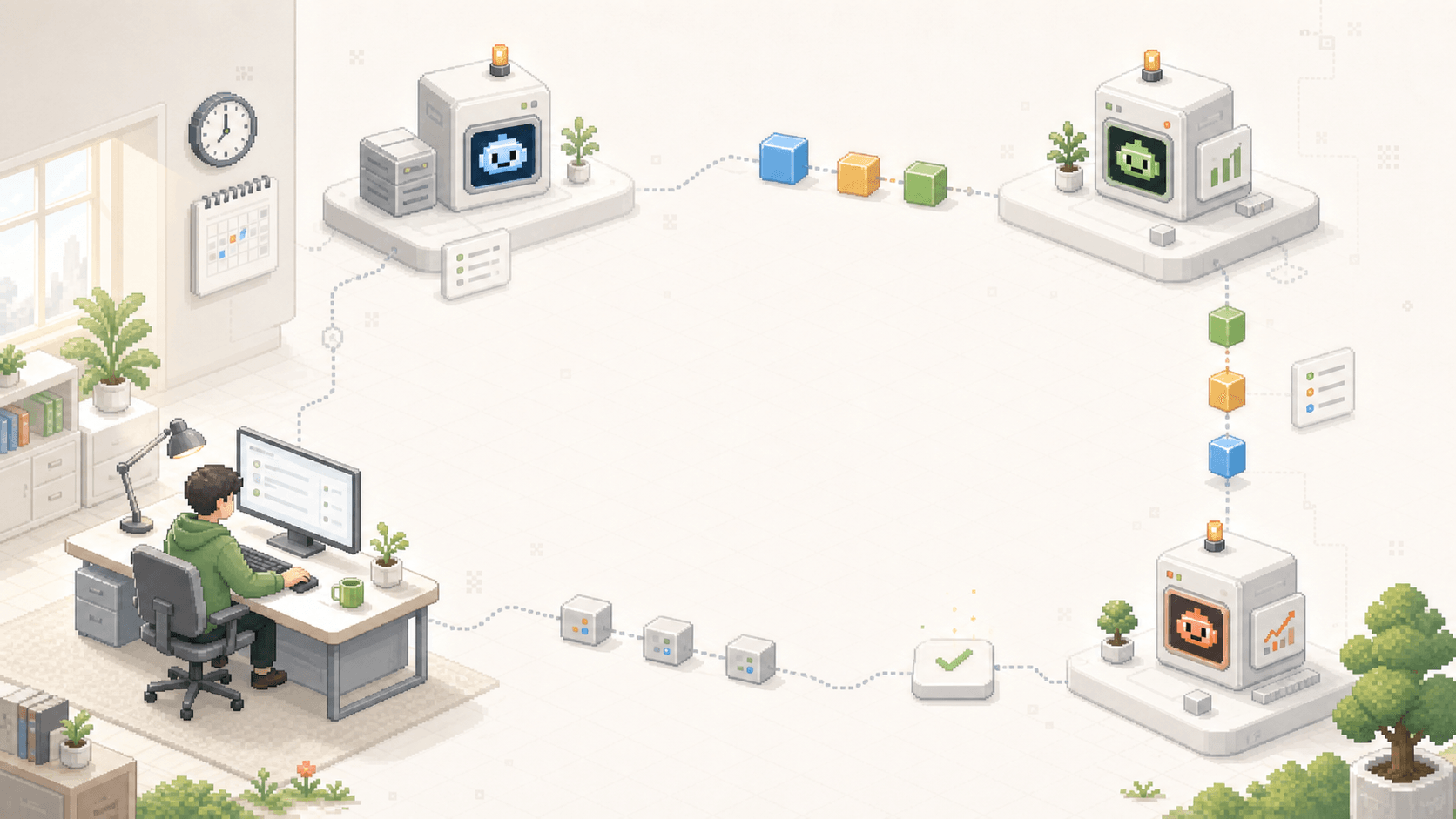
A solo founder studio connected to three agent workstations for coordination, building, and growth
Team map
human agent

Founder

Direction + approval

AI Chief of Staff

Briefing + coordination

Product Builder

Product + automation

Growth Partner

Research + distribution

Operating workflow
  1. 01

    Autopilot brief

    Prepared every morning

  2. 02

    Set the focus

    Founder chooses priority

  3. 03

    Assign the issue

    Chief of Staff routes it

  4. 04

    Agent executes

    On your private runtime

  5. 05

    Founder approves

    Decision stays human

  6. 06

    Share the outcome

    Board + Slack

SAAS TEAM

Human + agent team

02

Turn every product signal into a shipping squad.

Product and engineering leads set the scope. Planner, builder, QA, and release agents carry the issue forward in the same backlog, with context attached.

One backlog for everyone

People and agents share the same projects, ownership, statuses, and timeline.

No context lost at handoff

Specs, repository guidance, and prior decisions travel with the issue.

Lead review before release

Verification is visible and the final release decision stays with the team.

A SaaS product studio where human leads and planning, building, QA, and release agents share one delivery track
Team map
human agent

Product Lead

Scope + priority

Engineering Lead

Architecture + review

Product Planner

Breakdown + acceptance

Builder

Implementation

QA

Verification

Release

Notes + rollout

Operating workflow
  1. 01

    Capture the signal

    Inbox or integration

  2. 02

    Shape the scope

    Planner + project knowledge

  3. 03

    Build

    Repository runtime

  4. 04

    Verify

    QA skill + tests

  5. 05

    Lead review

    Human approval

  6. 06

    Release

    GitHub + Slack

AGENCY

Human + agent team

03

Give every client a dedicated delivery pod.

Reuse the same research, delivery, and QA roles across accounts while each client keeps its own memory, sources, connected tools, and approval path.

One pod, isolated client context

Sources, decisions, and project knowledge stay attached to the right account.

Turn great delivery into reusable skills

Codify the work once, then improve the shared method across every account.

The account lead stays in control

Nothing reaches the client before the named human owner reviews it.

An agency studio with separate client lanes feeding a reusable research, delivery, and quality assurance pod
Team map
human agent

Agency Lead

Standards + capacity

Account Lead

Client direction + approval

Research Agent

Inputs + evidence

Delivery Agent

Production

QA Agent

Standards + checks

Operating workflow
  1. 01

    Intake the brief

    Form, email, or call

  2. 02

    Load account context

    Project memory + knowledge

  3. 03

    Research

    Connected client sources

  4. 04

    Produce

    Reusable delivery skill

  5. 05

    Quality check

    Account standards

  6. 06

    Client approval

    Account Lead

OPERATIONS DESK

Human + agent team

04

Make every incoming signal someone's job.

Route messages, forms, tickets, and alerts to a team that classifies the request, recalls context, resolves routine work, and escalates exceptions to the right person.

Every signal becomes owned work

Connected tools create visible issues instead of another untracked inbox.

Respond with the full history

Memory and connected records arrive before an agent takes action.

Escalate to a named specialist

Cases that require policy, empathy, or judgment reach the right person.

An operations command desk where support, messaging, form, and monitoring signals converge into one work queue
Team map
human agent

Operations Lead

Policy + escalation

Triage Agent

Classify + route

Specialist

Exceptions + judgment

Research Agent

Context + history

Response Agent

Draft + update

Operating workflow
  1. 01

    Receive the signal

    Slack, support, form, alert

  2. 02

    Classify

    Webhook Autopilot

  3. 03

    Recall the history

    Customer + project context

  4. 04

    Create or resolve

    Issue or direct run

  5. 05

    Escalate exceptions

    Named specialist

  6. 06

    Report the outcome

    Board + channel

Implementation path

From one machine
to a working agent team.

01

Sign up & create your workspace

Enter your email and verify with a code. MagicAssist creates the workspace automatically, with no setup wizard or configuration forms.

02

Install the CLI & connect your machine

Run magicassist setup to sign in, start the daemon, and detect your installed coding tools. MagicAssist registers every supported tool it finds as a runtime automatically.

03

Define your first agent

Set its role, instructions, and skills. The agent can start when assigned an issue, mentioned, or brought into a comment.

04

Assign an issue and follow the work

Choose an agent from the same picker you use for teammates. MagicAssist queues the issue, connects the runtime, and streams progress back to the board.

Pricing

Choose the deployment that fits your team.

Start with dedicated cloud or a custom implementation. Both launch offers include a clear rollout path and support for your own AI accounts, repositories, and runtimes.

Your accounts stay yours

Bring model subscriptions, repositories, API keys, and any runtime access you already use.

Expand after the first workflow

Begin with one workspace and runtime policy, then add teams and agents as the process proves itself.

Cloud

One-click deployment

01

Dedicated cloud machine

A managed MagicAssist workspace on isolated compute. Bring your own model subscriptions, API keys, and repositories.

Limited-time launch offer

$99per month

Launch price, reduced from $149

Start cloud setup

Included

MagicAssist app, database, and VPS runtime deployed together.
Bring your own AI subscriptions, API keys, and repositories.
Connect your own local or cloud runtimes when needed.
Monthly support for updates, restarts, and deployment health.

Runtime profile

6 vCPU compute
12 GB memory
100 GB NVMe or 200 GB SSD storage
VPS runtime included
Your own runtimes supported

Bring your own model subscriptions, APIs, repositories, and additional runtimes. MagicAssist handles the deployment layer described above.

Custom Deployment

Implementation plan

02

Deployment shaped around your workflow

For teams that want MagicAssist configured around existing repos, agents, permissions, and infrastructure.

Starts from · Limited-time launch offer

$2,500one-time setup

Launch price, reduced from $4,999

Plan implementation

Included

Workspace design, agent roles, and issue workflow mapping.
VPS runtime, private runtime, or hybrid runtime setup.
Your own local machines and cloud runtimes connected cleanly.
Onboarding, skill library setup, and launch support.

Rollout profile

Private implementation plan
Bring your own LLM/API accounts
Runtime policy and access review
Security and deployment handoff

Bring your own model subscriptions, APIs, repositories, and additional runtimes. MagicAssist handles the deployment layer described above.

FAQ

Questions & answers.

MagicAssist supports 11 coding tools out of the box: Claude Code, Codex, Cursor, Copilot, Gemini, Hermes, Kimi, Kiro CLI, OpenCode, OpenClaw, and Pi. The daemon auto-detects whichever CLIs you already have installed and registers a runtime for each one.

MagicAssist is designed for controlled deployments. You can run it on your own infrastructure, use a dedicated machine deployment, or have us configure an implementation around your team.

Coding agents execute individual tasks. MagicAssist coordinates the work around them: shared issues, ownership, queues, progress, memory, reusable skills, runtime visibility, and human review in one workspace.

Yes. MagicAssist manages the full task lifecycle — enqueue, claim, execute, complete or fail. Agents report blockers proactively and stream progress in real time. You can check in whenever you want or let them run overnight.

Execution runs on the local machine or cloud runtime you connect. MagicAssist coordinates task state and activity, and its deployment options let you keep the app, database, and runtimes on infrastructure you choose.

As many as your hardware supports. Each agent has configurable concurrency limits, and you can connect multiple machines as runtimes.

Yes. People, agents, and squads can own issues in the same projects and statuses. Agents execute and report progress while humans set priorities, handle exceptions, and review consequential outcomes.

Memory preserves durable facts, decisions, and summaries at workspace, project, agent, issue, and conversation scopes. The knowledgebase stores source documents and retrieves relevant cited passages when an agent claims work.

Yes. Composio-powered integrations connect agents to 1,000+ apps and 20,000+ tools across repositories, messaging, documents, calendars, tickets, CRM, and other systems your team already uses.

MagicAssist is bring-your-own-account by design. Connect the model subscriptions, API keys, repositories, and runtime access you already use, so those vendor relationships and usage costs remain under your control.

Yes. Use workspaces and projects to separate ownership, issues, source material, memory, and knowledge. Agencies can keep client context isolated while sharing reusable skills and operating standards where appropriate.

The launch plan includes a dedicated cloud machine and a managed MagicAssist deployment for $99 per month. You bring your own model subscriptions, APIs, repositories, and any additional runtimes your workflows require.